Best AI Note Takers for Notion, Slack, Jira and Linear (Native, Not Zapier)
By Tobias Kimmich

Short answer: Fireflies is the only AI note taker with native connectors to all four: Notion, Slack, Jira and Linear. For Notion alone, Fireflies and tl;dv both sync automatically, while Granola, Otter and Notta export one note at a time and Fathom needs Zapier. For Slack, nearly everyone is native, but Fathom posts only highlights without Zapier. For Jira and Linear, most tools rely on Zapier, and every one of them pushes tasks one way.
Disclosure: Notrilo is our product. It has not launched, so nothing below is live. We show its planned connectors in a separate column and mark where it will be ahead, level or behind.
Native vs Zapier: why it matters
Vendors list Notion, Jira and Linear on their integrations pages whether they built the connector or only appear in Zapier's catalogue. For a small team the difference is real:
- Setup. A native connector is a toggle. A Zapier route is a zap someone builds, names and maintains.
- Data depth. Native connectors can map owners, due dates and database fields. A zap only gets what the vendor's Zapier triggers expose.
- Edits. When you fix a name in the transcript, a native sync can update the page. A zap that fired once will not fire again.
- Cost. Zapier runs count against your Zapier plan, on top of the note taker.
We marked each cell Native, Zapier (only through Zapier or Make), AI search (the vendor's AI can read the tool but does not write notes to it) or None.
The connector table
| Connector | Granola | Otter | Fireflies | Fathom | tl;dv | Notion | Notta | Notrilo (planned) |
|---|---|---|---|---|---|---|---|---|
| Notion | Native, manual per note (Business) | Native export, manual; no resync after edits | Native, automatic, past meetings in bulk | Zapier | Native, automatic pages or database rows | Is Notion | Native, manual per note | Export and sync, updates on edit |
| Slack | Native, auto post from a folder | Native | Native | Native, highlights only; full summaries via Zapier | Native | AI search; posting partly unverified | Native | Recap cards, posted by choice |
| Jira | Zapier | Native (via account manager) | Native | Zapier | Listed; mechanism unverified | AI search, synced database | Zapier | Two-way status |
| Linear | Zapier | None | Native | Zapier | None | AI search | Zapier | Two-way status |
| Confluence | None | None | Native (Cloud), new page per meeting, no updates | Zapier | Native (team workflow) | Import only | Zapier | Export and sync, Cloud and Data Center |
| Microsoft Teams chat | Zapier | None | Native | None | None | AI search, notifications | Native | Recap cards |
Sources: Granola Notion, Granola directory, Otter Notion, Otter Slack, Otter Jira, Fireflies Notion, Fireflies Confluence, Fireflies task tools, Fathom Slack, Zapier Fathom, tl;dv Notion, tl;dv workflows, Notion AI connectors, Notta Notion, Notta directory.
Connector by connector
Notion
Best: Fireflies or tl;dv. Fireflies writes to a summary database or pages, can push past meetings in bulk, and lets anyone connect; transcripts in Notion need Pro and rules that pick which meetings sync need Business (Fireflies Notion). tl;dv can create pages under a parent, append to a page, or create database items with mapped fields (title, AI notes, transcript, participants, date, URL, duration), automatically or on demand (tl;dv Notion).
Manual only: Granola sends one note at a time into a personal Notion database, on Business (Granola Notion). Otter exports by hand by default, and edits in Otter do not resync; you click Update (Otter Notion). Notta creates a new page per meeting, manually.
Or skip the integration: if your team already pays for Notion Business, Notion's own AI Meeting Notes write straight into a meetings database with no connector at all (Notion help). The trade-off is 16 transcription languages and no bot for meetings you miss.
Slack
Slack is the one connector almost everyone does natively. The differences are in what gets posted and when:
- Granola can auto post every note added to a chosen folder, even on the free plan (Granola help).
- tl;dv sends notes, the transcript, the recording or a custom summary to a channel or DM (tl;dv Slack).
- Fireflies posts to channels, private channels or DMs; rules for which meetings post need Business (Fireflies Slack).
- Fathom sends highlights, alerts and trackers to public channels only. A full summary in Slack needs Zapier (Fathom Slack).
Jira
Best: Fireflies, which creates Jira tasks natively. Otter sends action items to Jira issues if you set it up with your account manager, and on Enterprise its AI Chat can read and update issues (Otter Jira). tl;dv lists Jira and says action items can be sent to tools like it, but its help centre does not document the mechanism. Granola, Fathom and Notta go through Zapier.
Linear
Only Fireflies is native. Granola, Fathom and Notta reach Linear through Zapier; Otter and tl;dv have no route we could find. Notion can search Linear from Notion AI on Business, but it does not create Linear issues from meeting notes (Notion AI connectors).
Confluence
Fireflies creates a new Confluence Cloud page per meeting in a chosen space and can push past meetings, but it never updates an existing page, and Server or Data Center is not mentioned (Fireflies Confluence). tl;dv sends to Confluence as a team workflow on paid teams. Fathom and Notta use Zapier (Zapier: Notta and Confluence). Granola and Otter have no Confluence connector.
When Zapier is your only route: what each app can do
If your tool is not on the native list, the vendor's Zapier app is the ceiling. Triggers send events out of the note taker; actions let Zapier do something inside it, such as upload a recording.
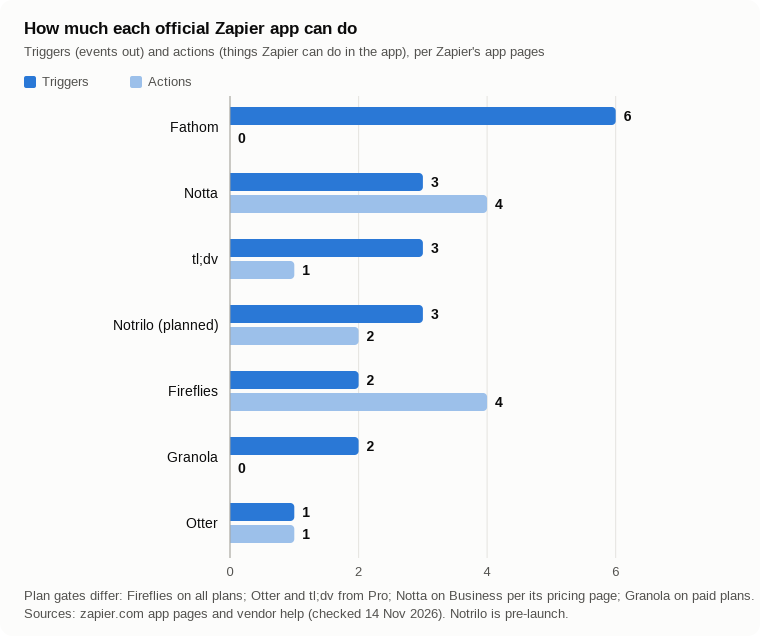
| Zapier app | Triggers | Actions | Plan |
|---|---|---|---|
| Fathom | 6 | 0 | Personal use on Free and Premium |
| Notta | 3 | 4 | Business per pricing page (integration page says all plans) |
| tl;dv | 3 | 1 | Pro and up |
| Fireflies | 2 | 4 | All plans |
| Granola | 2 | 0 | Paid, desktop apps |
| Otter | 1 | 1 | Pro and up |
| Notrilo (planned) | 3 | 2 | Planned at launch |
Sources: Zapier Fathom, Fireflies Zapier, Otter Zapier, Granola directory, tl;dv integrations, Notta integrations.
Fathom has the most triggers, which makes it a good source for zaps into Notion or Drive. Fireflies is the most automation-friendly overall: its Zapier app works on every plan and it also has an official, verified n8n node (n8n). Granola's and Fathom's Zapier apps have no actions, so nothing can flow back in.
The picks
- Fireflies: best if you need all four natively. Widest native catalogue, past meetings in bulk, Zapier on every plan, verified n8n node. Watch out: most connectors are one way, Confluence pages are never updated, and sync rules need Business.
- tl;dv: best Notion database mapping. Automatic pages or database rows with mapped fields, plus native Slack and Confluence team workflows. Watch out: no Linear, and team workflows need a paid team.
- Granola: best Slack automation on a free plan. Auto post from a folder. Watch out: Notion is manual and Business only; Jira and Linear are Zapier only.
- Notion AI Meeting Notes: best if Notion is your workspace. No connector to break. Watch out: Business plan, 16 languages, and Jira and Linear are search only.
- Fathom: best Zapier source. Six triggers. Watch out: no native Notion, Jira, Linear or Confluence.
Notrilo: where it is ahead, and where it is behind (planned)
Notrilo is our product and has not launched. These are planned 1.0 connectors; until launch, every live tool above is ahead of us on anything it already ships.
| Connector | Notrilo plan | Our mark |
|---|---|---|
| Jira, Linear | Action items as individual tasks with owner and due date, and two-way status: closing the issue updates the note | Ahead. Every competitor pushes one way |
| Notion, Confluence | Export and sync; a synced page updates when the transcript or note is edited; Confluence Cloud and Data Center | Level with Fireflies and tl;dv; ahead on update after edits and Data Center |
| Slack, Teams | Recap cards in a channel or chat, posted by the user, never automatically to attendees | Level |
| Space rules | Every note in a space, or of a meeting type, goes to a chosen Notion database, Confluence space, folder or channel | Level with Fireflies Integration Rules |
| Zapier, n8n | 3 triggers, 2 actions; n8n community node | Level with Fireflies on Zapier; behind its verified n8n node |
| Make | Not scheduled for 1.0 | Behind Fireflies and Fathom |
| Task tools | 17 planned for 1.0, including Todoist, Microsoft To Do, Google Tasks, TickTick, Airtable, Wrike, Zoho Projects, Basecamp, Smartsheet and Notion databases, each action item its own task with two-way status. Most have not run against the real services yet | Level or ahead of Fireflies (13) on count; real service proof pending |
| Marketplace listings (Slack, Teams, Zoom, Google Workspace, Microsoft AppSource) | Planned for 1.0 on Team and up; none submitted or live yet | Behind until listed |
| ChatGPT, Claude and other MCP assistants | One MCP server with read tools (search, Ask with cited moments, notes, decisions, My tasks) and action tools that ask you first (share, export, create tasks). Not live in any assistant yet | Level with Fireflies and Fathom on MCP once live |
| Catalogue breadth | Long tail through Zapier and n8n only | Behind Fireflies (240+ apps claimed) |
Our internal comparison also marked Notrilo behind on Asana, HubSpot and Salesforce. Those have since moved into the 1.0 plan, but they are not live, and Fireflies, Fathom and tl;dv ship them today. Notrilo's Ask is also planned to search Notion, Drive, Confluence, Slack, Jira and Linear alongside your meetings, with a citation for every source (Notrilo Remembered).
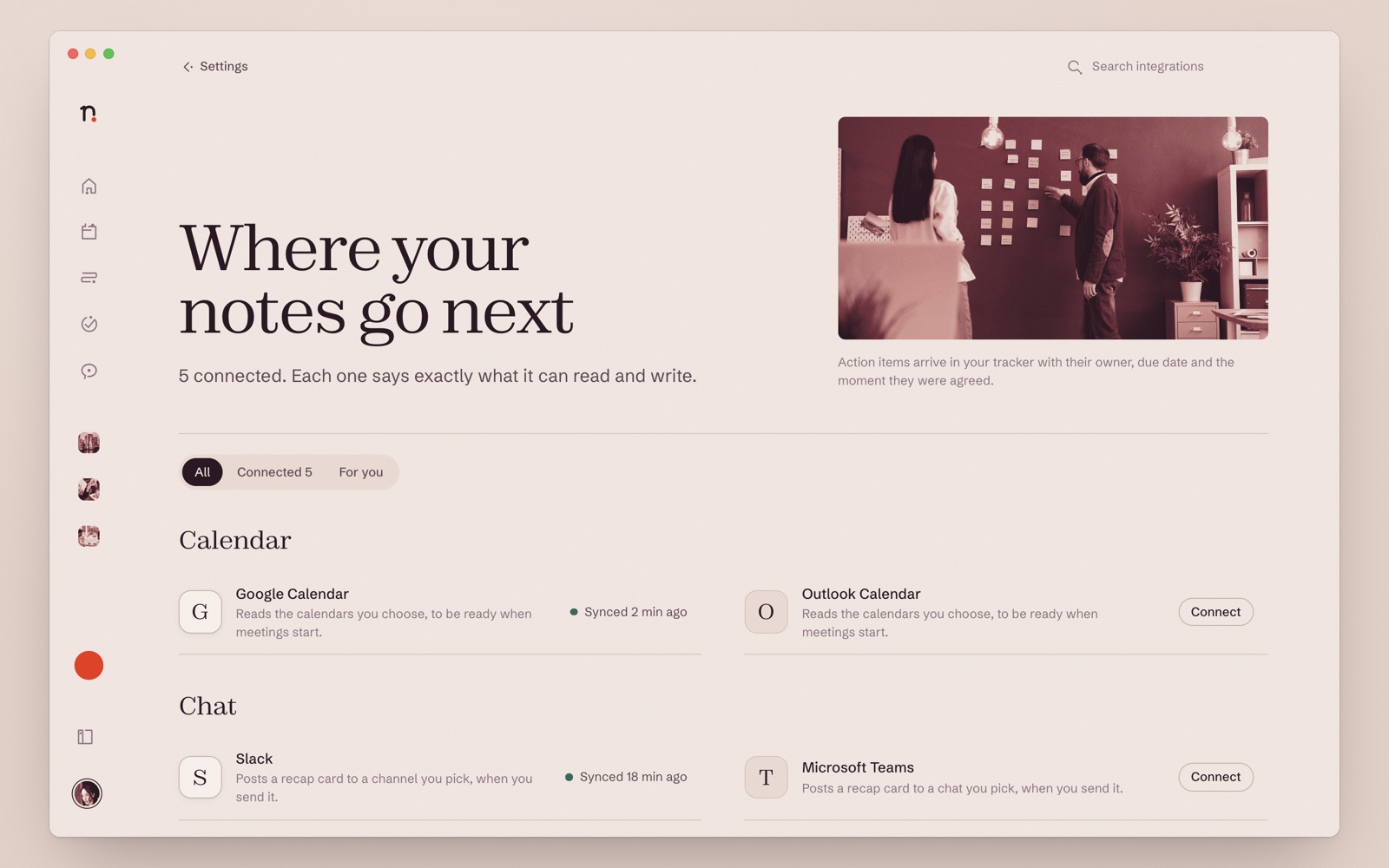 Notrilo design preview, pre-launch.
How to test an integration in 20 minutes
- Record a short test meeting with a deliberate mistake (a wrong name).
- Connect Notion or Jira natively and check what arrives: fields, owner, due date, link back.
- Fix the mistake in the note taker. Does the Notion page or Jira issue change?
- Close the task in Jira or Linear. Does the meeting note know?
- Check who else can see what was sent, especially in shared Slack channels.
Related guides
- Best AI meeting assistants for action items and follow-up emails.
- Best meeting notes app: AI note takers vs Notion, Apple Notes and OneNote.
- Real cost at 5, 10 and 25 seats, including which plans include integrations.
- The 12 best AI meeting note takers in 2026.
- Ask across your meetings and tools with Notrilo.
FAQ
Which AI note taker has the best Notion integration?
Fireflies and tl;dv both send meeting notes to Notion automatically. Fireflies can also push past meetings in bulk, and tl;dv can create database items with mapped fields such as title, AI notes, participants, date and duration. Granola, Otter and Notta export to Notion one note at a time, and Fathom needs Zapier or Make.
Does Granola integrate with Notion?
Yes, natively on the Business plan, but you send each note manually into a personal Notion database. Automatic syncing needs Zapier.
Which AI note takers integrate natively with Jira and Linear?
Fireflies is the only tool here with native connectors to both. Otter sends action items to Jira through an account manager. Granola, Fathom and Notta reach Jira and Linear through Zapier. Notion reads them as AI search connectors on Business.
Is a Zapier integration as good as a native one?
It can be, for simple one-way pushes. The limits are that someone has to build and maintain each zap, you depend on the triggers the vendor exposes, edits made after the first sync usually do not flow through, and each run counts against your Zapier plan.
Can meeting notes update in Notion when the transcript is corrected?
Not in most tools. Otter's Notion export does not resync after edits; you click Update by hand. Fireflies creates new Confluence pages but does not update existing ones. Check this before you rely on Notion or Confluence as the record.